


Adjustable Bed Remote Control: A Buyer’s Guide


At 2 a.m., a sleeper reaches across the mattress, finds the adjustable bed remote control, and presses the head-up button. Nothing happens. The button gets pressed again, harder this time, as if extra pressure could solve a pairing problem, dead batteries, or a disconnected control box.
That small handset determines whether the bed feels effortless or frustrating. It controls the positions used for reading, reflux relief, snoring support, recovery, getting out of bed, and settling back down. The frame and mattress matter, but the remote is the part the sleeper handles every night.
Adjustable beds have grown from a niche health product into a major global category. One market report valued the category at USD 7.21 billion in 2024, USD 8.05 billion in 2025, and projected USD 12.37 billion by 2029, at an 11.3% CAGR. A broader adjustable bed base and bed forecast valued that market at USD 9.58 billion in 2025 and projected USD 19.09 billion by 2033. These figures come from different market definitions, but both point to the same practical conclusion: remote control design is no longer a minor accessory decision. Market data on adjustable beds and control-interface segmentation treats wired, wireless, app, and voice control as formal product segments.
This guide focuses on the part that causes the most confusion. It explains how the control system works, which remote style suits different sleepers, how to match and pair a replacement, and how to diagnose a bed that won't move before buying parts.
When the Remote Becomes the Whole Bed
A customer who can't move the bed at midnight usually doesn't think about actuators, receivers, or control-box wiring. The only visible problem is the handset in a tired hand. That makes the remote the bed's user interface, much like a thermostat is the interface for a heating system. If the controls are confusing, poorly lit, uncomfortable to hold, or unreliable, the entire sleep setup feels broken.
The handset governs more than simple elevation. Dedicated head and foot buttons shape the posture for reading, television, rest, and getting in or out of bed. Presets can create a familiar starting point, while massage controls and saved positions affect how quickly a sleeper can settle without reaching for a phone.
Practical rule: A remote should be judged from the sleeping position, not from a showroom wall or a product photograph.
A good adjustable bed remote control has three jobs:
- Translate intent: A sleeper should understand which button raises the head, lowers the feet, returns the frame to flat, or activates a saved position.
- Reduce reaching: Important controls should remain usable with one hand, in dim light, and without forcing the user to sit up.
- Recover from mistakes: Pairing instructions, reset procedures, and replacement support should be clear enough that a minor interruption doesn't become a full equipment failure.
The category's evolution reflects those expectations. Market research now separates wired remote control, wireless remote control, app control, and voice control, showing that the interface has developed alongside smart-home adoption and sleep-focused use cases. Another industry report claims that 90% of modern adjustable beds feature wireless remote controls, making wireless handsets the dominant default in newer consumer models. Adjustable-bed industry data on wireless remote adoption and control types supports that direction, although shoppers should still choose based on usability rather than popularity.
The right purchase question isn't, “Does this base have a remote?” It is, “Can every person using this bed operate it comfortably, find the right position quickly, and recover when the connection fails?” That question leads to better decisions than counting features.
What an Adjustable Bed Remote Control Actually Does
An adjustable bed remote control is a command device. It doesn't normally power the motors directly. Instead, it sends an instruction to the base's control box, which manages the current needed by the moving sections.
The signal chain is straightforward:
- The sleeper presses a button. The handset identifies a command, such as head up, foot down, flat, or massage.
- The command travels to the base. A wired handset sends it through a cable. A wireless handset sends it by radio frequency to a receiver.
- The control box interprets the command. Mounted beneath the frame, the box acts like a small switchboard between the wall outlet and the bed's moving components.
- The actuators move. The control box distributes power to the appropriate motor or motors.
- The system stops at the intended position. Depending on the design, the base uses stored limits, sensors, or control logic to manage movement.
Most systems use a wall-connected transformer and low-voltage control electronics. Published manuals show power inputs around AC 100–240 V, controller outputs around DC 29 V at about 1.8 A, and handheld remotes that commonly use AAA batteries. Those specifications appear in an adjustable-bed remote manual covering the handset and control-box architecture.
Why the control box matters
The control box is the part most owners never see, yet it can explain a failed movement command. A remote may light up while the box has lost wall power, a motor cable may be loose, or an obstruction may prevent the actuator from completing its movement.
Many wireless remotes operate in the 2.4 GHz ISM band, with published ranges such as 2403–2480 MHz and 2.400–2.4835 GHz. That spectrum is also used by Wi-Fi, Bluetooth, and other connected devices, so reliability depends on pairing quality, antenna design, and interference management. Published remote documentation covering 2.4 GHz operation and Part 15 requirements explains why a crowded bedroom can create communication problems.
The practical lesson is simple. A remote rarely fails in isolation. Its battery, signal path, control box, power supply, actuators, and frame must work together. For sleepers who use head elevation to address nighttime snoring, a remote-controlled base can be one part of a broader plan, alongside professional resources such as non-surgical snoring solutions for adults from Pain and Sleep Therapy Center.
Wired, Wireless, App, and Voice Remotes Compared
The four main control styles solve different problems. A wired handset favors simplicity. A wireless remote offers bedside freedom. An app adds digital controls, while voice operation helps people who can't comfortably reach or hold a handset.
| Style | Signal Type | Best For | Watch Out For |
|---|---|---|---|
| Wired handset | Cable to the control box | Budget setups, guest rooms, and users who prefer a direct connection | The cable limits placement and can snag or hang beside the frame |
| Wireless RF remote | Radio frequency to a receiver | Most primary bedrooms, couples, and sleepers who want controls on a nightstand | It may need pairing, and nearby electronics can affect communication |
| Smartphone app | Bluetooth or Wi-Fi | Tech-comfortable users who want phone-based controls and digital features | The phone must be charged, nearby, and available when the sleeper needs it |
| Voice control | Voice command through a compatible system | Users with arthritis, limited reach, or recovery-related mobility restrictions | It depends on compatible hardware, setup, and a reliable listening environment |
Wired control for fewer failure points
A wired remote doesn't need wireless pairing. That makes it a sensible choice for a guest room, a simple setup, or a household where losing a connection would create more frustration than convenience. The tradeoff is physical. The cord must remain accessible, and the handset can't travel freely around the room.
Wireless RF for everyday bedroom use
Wireless RF is the practical default for most couples. The handset can remain beside the sleeper, travel through the space between the mattress and nightstand, and operate without a cable crossing the floor. The buyer should still ask about re-pairing, receiver placement, and backup operation before delivery.
App and voice control for specific needs
An app suits a technology-focused household that wants controls on a phone or additional digital functions. It isn't automatically easier. A phone can be misplaced, locked, out of battery, or difficult to use in a dark room.
Voice control can help a sleeper with arthritis or limited reach, particularly when pressing small buttons is uncomfortable. It also creates another dependency, so a physical handset remains valuable as a backup.
The strongest setup isn't the one with the most control methods. It's the one with a dependable primary method and a usable backup within reach.
Many premium bases provide more than one control path. The decision should focus on which method will be used every night, which one remains accessible during recovery or illness, and which backup still works when a phone, network, or wireless connection doesn't.
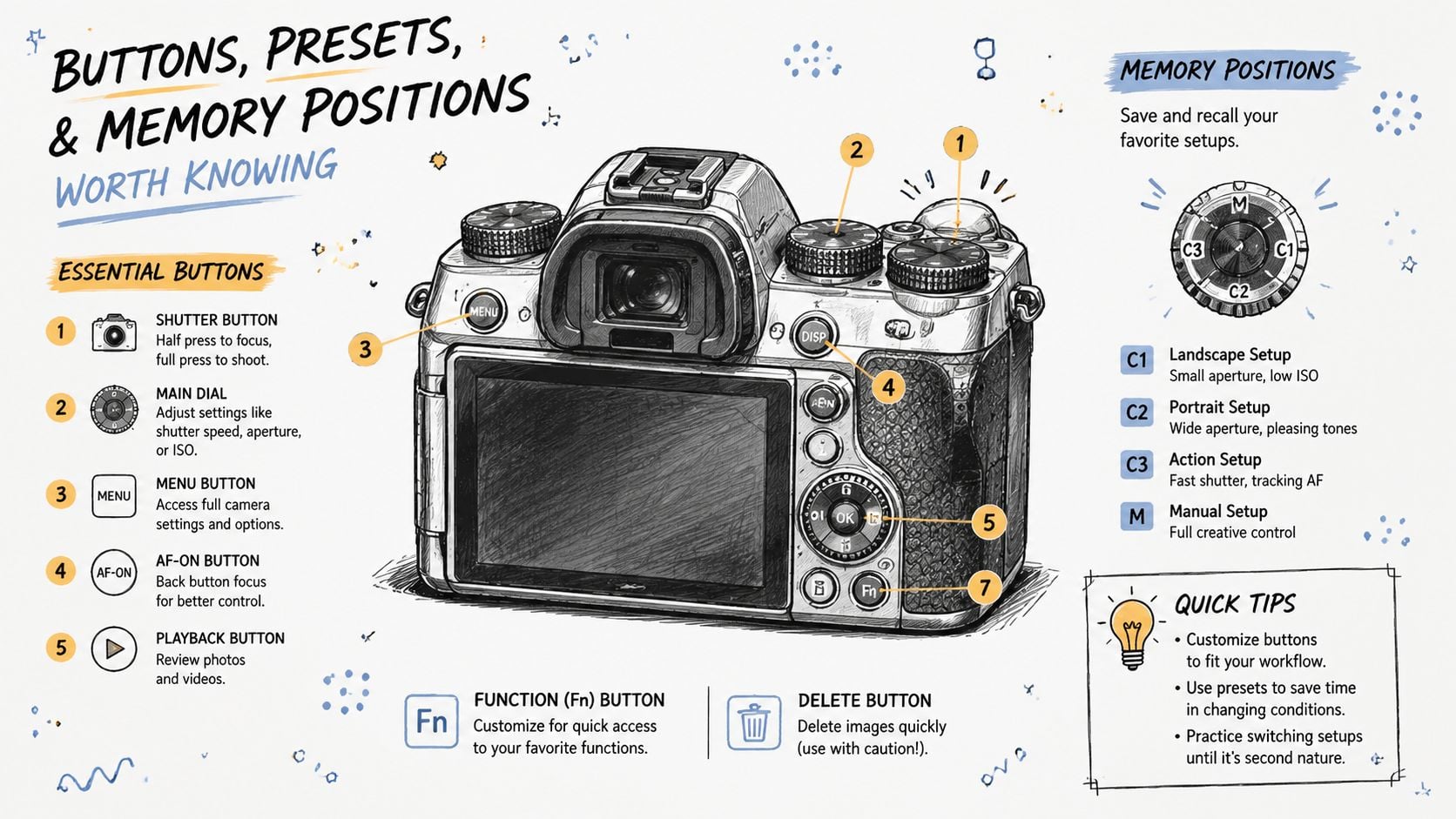
Buttons, Presets, and Memory Positions Worth Knowing
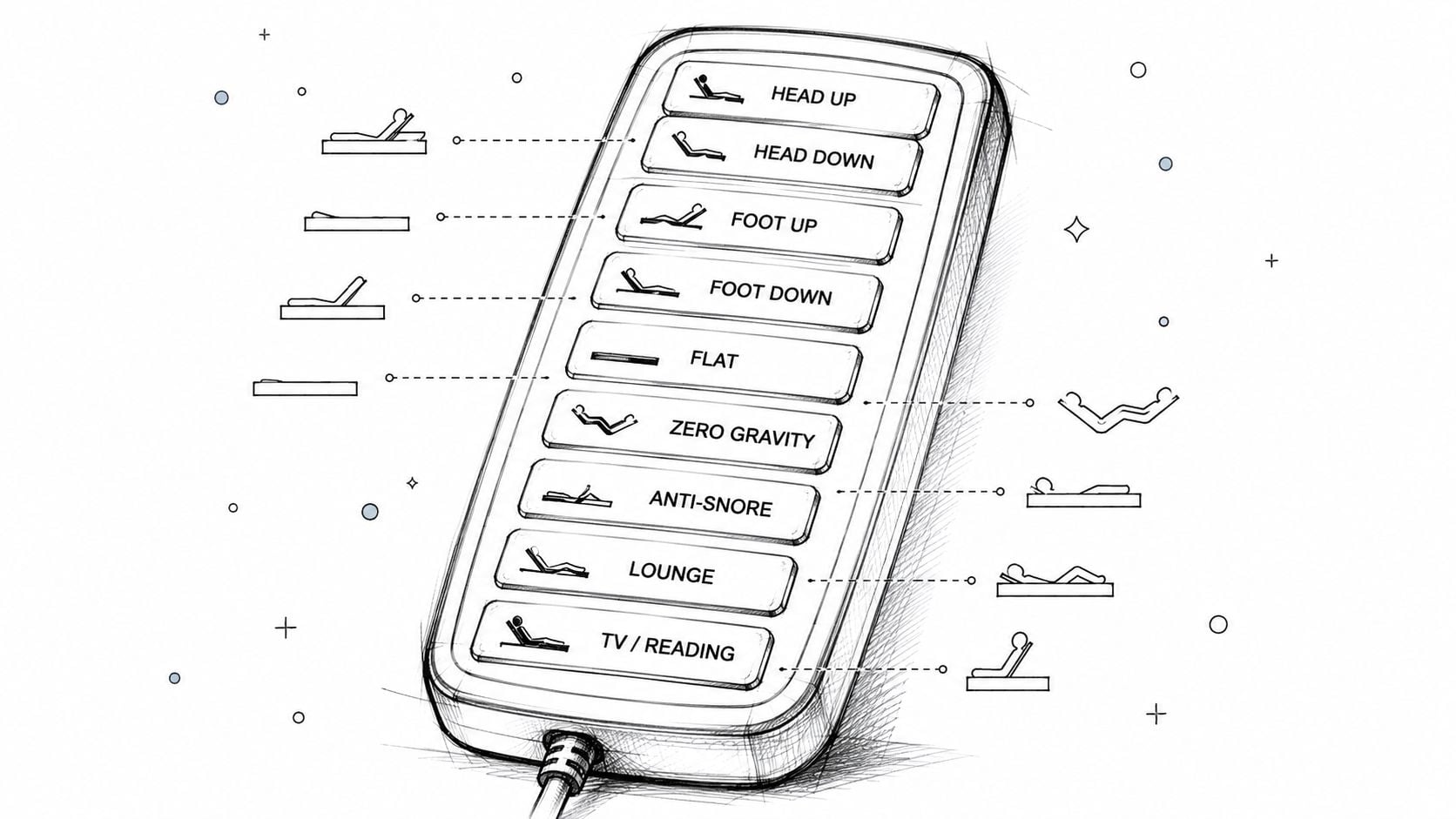
Treat the remote as the bed's main user interface. A handset with many buttons is not automatically better. The right layout puts frequent positions within reach and lets you operate the base without switching on a bedroom light.
A practical layout usually includes:
- Head up and down: Raises or lowers the upper section for reading, conversation, or sleep.
- Foot up and down: Lifts the legs or returns them toward level.
- Flat: Returns the base to level before leaving bed or changing sheets.
- Zero-G: Selects a preset posture intended to spread support across the mattress.
- Anti-Snore: Raises the head section for a more open sleeping posture.
- Lounge or TV: Combines head and foot movement for seated relaxation.
- Memory positions: Saves a preferred combination of head and foot angles.
Put Flat near the top of your priority list. It gives you a dependable exit position instead of forcing several separate adjustments. Presets such as Zero-G, TV, Lounge, and Anti-Snore reduce button pressing, while higher-end handsets may add memory buttons for saved positions. An adjustable-bed remote guide covering common controls and presets explains these functions and typical uses.
Match the control to the activity
A side sleeper dealing with nighttime reflux may prefer a modest head lift instead of a steep preset. A reader may need a higher head angle with enough lumbar support. Someone recovering from an injury may be more comfortable with the legs raised. These examples show why adjustable control matters, but no preset suits every sleeper.
Memory slots earn their place after a household settles on regular positions. One person can save a reading posture, while another saves a preferred sleep posture. After a power interruption, the base may require a reset or recalibration before saved positions work normally. Keep the manual accessible, especially if the remote's memory procedure is not obvious.
Some handsets add massage intensity, under-bed lighting, a flashlight, or USB controls. Choose those features only when their buttons are easy to distinguish by touch. A crowded layout can make a remote harder to use than a simpler handset.
Test the remote in a dim showroom or a simulated sleeping position. Locate Flat, raise the head, lift the feet, activate a preset, and save a position without help. A specification sheet can list functions, but only hands-on use shows whether the layout feels natural in one hand.
Compatibility, Pairing, and Replacement Remotes
Replacement remotes aren't automatically interchangeable. The handset must communicate with the base's control box, and the correct match depends on the system's brand, model, receiver, and control protocol.
A reliable replacement process starts with identification:
- Find the base model label. Look beneath the frame, near the head end, or on the motor housing.
- Record the original remote's part number. The rear label is often more useful than the bed's retail name.
- Photograph the control box. Its label and connector arrangement can help a service professional confirm compatibility.
- Match the signal system. Wireless models may use different radio protocols, and an app requires compatible Bluetooth or Wi-Fi hardware.
- Confirm split-king requirements. Two sides may need separate handsets, coordinated pairing, or independent control modes.
Universal RF remotes can be convenient, but “universal” rarely means every adjustable base. It usually means compatibility with a defined group of control boxes. An OEM or brand-matched handset costs more in some cases, but it generally preserves the original buttons, presets, massage controls, lighting, and memory functions.
| Type | Compatibility | Features | Warranty Impact |
|---|---|---|---|
| Brand-matched handset | Designed for a specified base family or control box | Usually preserves the original feature set | Simplest option for keeping documented support |
| Universal RF handset | Works only with listed protocols or control boxes | May provide basic movement but omit specialty functions | Confirm whether third-party parts affect service coverage |
| App control | Requires a compatible base, receiver, and mobile setup | May add digital controls or connected features | App support and base warranty should be checked separately |
| Voice control | Requires compatible voice hardware and base integration | Hands-free operation | Confirm support for both the base and the voice system |
Pairing is a sequence, not a guess
Most wireless systems require the control box to enter pairing mode. The user then holds a sync or combination button on the handset and waits for LED or backlight feedback. The exact buttons and timing vary by model, so copying a procedure from a different base can make the problem worse.
A replacement is sensible when the handset is lost, its buttons are physically damaged, or liquid has reached the electronics. It isn't the first choice when the bed has no power, a motor cable is loose, or the frame is mechanically bound.
Warranty terms matter because a remote can be part of the base system rather than a separate convenience item. Buyers should review Miller Waldrop's warranty information before selecting a non-matched replacement. Miller Waldrop Furniture & Decor carries brand-matched and universal options in-store, where the base details can be checked before purchase.
Why Your Remote Looks Fine but the Bed Won't Move
A lit remote doesn't prove that the base is ready to move. It proves only that the handset has some power. The fault may be upstream, downstream, or between the two.
Start with power, then communication
The fastest diagnostic path checks the least expensive causes first:
- Test the wall outlet. Plug in a lamp or charger. If the base uses a surge protector, check its switch and reset condition.
- Inspect the control-box indicator. A power LED that stays off points away from the handset and toward the outlet, transformer, cable, or box.
- Check handset batteries. Replace them with fresh AAA batteries, even if the backlight still appears.
- Look for pairing loss. If buttons illuminate but no motor responds, the handset may no longer be synchronized with the receiver.
- Inspect connectors. Loose motor plugs, pinched cables, or a partly disconnected transformer can interrupt commands.
- Clear the frame path. Bedding, storage bins, a headboard, or another obstruction can stop movement or create a bind.
- Watch for error indicators. Blink patterns on the control box may identify a motor or communication fault.
Diagnostic shortcut: If the handset lights up and the base stays silent, pairing and control-box communication deserve attention before the motor is condemned.
A reset often clears a temporary communication problem. Unplug the base, wait 60 seconds, reconnect it, and then follow the model-specific re-pairing sequence. The order matters because some systems need the control box powered before the handset enters sync mode.
Separate a handset fault from a base fault
A completely unresponsive handset may need replacement, but a working handset can't overcome a failed transformer or disconnected actuator. Motor duty-cycle limits can also pause movement after repeated operation, and a mechanical bind can make an electrical system appear defective.
The safest approach is to stop buying parts based on the visible symptom. A sleep-store technician can inspect the outlet, power supply, connectors, receiver, actuators, and frame before recommending a replacement. Owners who need structured assistance can submit a Miller Waldrop service request with the base model and a description of the behavior.
The remote may be the root cause, but it may also be the messenger. A careful diagnosis can turn a frustrating replacement decision into a straightforward battery, pairing, wiring, or reset fix.
Choosing and Testing the Right Base in Person
An adjustable bed remote control can look excellent in a product listing and still feel awkward beside an actual mattress. The meaningful test happens with a sleeper lying down, reaching in the dark, and trying to make small changes without thinking about the mechanism.
A hands-on visit should include repeated movement through common positions:
- Flat: Check whether the base returns fully level and whether the mattress settles without shifting.
- Raised back: Read or watch from the position used at home.
- Lifted legs: Notice pressure, balance, and whether the foot section moves smoothly.
- Combined posture: Test head and foot elevation together, because separate movements can feel different when combined.
- Exit position: Lower the frame and simulate getting out without grabbing furniture.
The remote layout deserves the same attention as the mattress. The shopper should locate buttons by touch, read any display from the pillow, activate a preset, and save a memory position. If the handset requires constant visual checking, it may become irritating during nighttime adjustments.
Evaluate the complete system
Motor sound, movement smoothness, under-bed clearance, wall spacing, mattress compatibility, and available headroom all affect the result. Couples should test each side independently when the base supports dual zones, then check how massage strength and shared presets behave.
A salesperson should also answer practical service questions:
- Does the wireless remote need pairing after an outage?
- Is an app required for any advertised function?
- What happens if the handset is lost?
- Is there a wired or manual backup?
- Which parts are covered under warranty?
- How are service calls handled?
- Which mattress constructions are approved for the base?
Remote control reliability also belongs in the wider sleep conversation. Shoppers comparing temperature-focused accessories may find it useful to compare infrared sleep gear choices, but those products shouldn't distract from testing the base and handset as a system.
Miller Waldrop's showrooms support hands-on comparison of adjustable bases, remote layouts, mattresses, and comfort positions. A shopper can also review the king adjustable base product page before visiting and bring room dimensions, mattress details, and the needs of every person using the bed.
The strongest purchase decision comes from testing, not guessing. A remote that feels intuitive in the showroom is more likely to remain useful at midnight, during recovery, and whenever the bed needs a small adjustment.
Miller Waldrop Furniture & Decor offers adjustable bases, mattresses, and in-store guidance to help shoppers match remote controls with their comfort needs and room setup. Visit Miller Waldrop Furniture & Decor to compare adjustable bases in person, ask about pairing and replacement support, and choose a sleep system that remains easy to use after delivery.